Forchetta

Every Claude Code session on your Mac, in one window.

Forchetta finds the Claude Code sessions you have running and shows, live, what each one is doing, what it is waiting for and what it has cost. Open up to four side by side, answer permission prompts from their box, get a notification when one needs you, and start teams of agents that work together.

Install with Homebrew View the code on GitHub Free and open source, Apache 2.0. macOS 12 or later. Everything runs on your Mac.
Forchetta6 sessions

shop-api

working

Edit src/routes/orders.ts

Adding retries to the order client, then the tests.

≈42% · 420k
≈ $1.84cache 54 mintmux

blog

working

Bash npm run lint

Moving the posts to the new layout.

rm -rf dist && npm run build
AllowDenyalways…
≈18% · 180k
≈ $0.62cache 58 mintmux

docs

idle

turn finished

Rewrote the install guide and checked every link.

≈31% · 310k
≈ $0.97cache 41 mintmux

data-pipeline

compacting

compacting, as you asked

Migrating the jobs to the new schema.

≈86% · 860k
≈ $4.10cache 59 mintmux

auth

waiting

Question: OAuth or API keys for internal clients?

Designing the login for the internal tools.

≈15% · 150k
≈ $0.40cache 55 mintmux

infra

working

Bash terraform plan

Checking the staging changes before the deploy.

≈23% · 230k
≈ $0.75cache 57 minread only

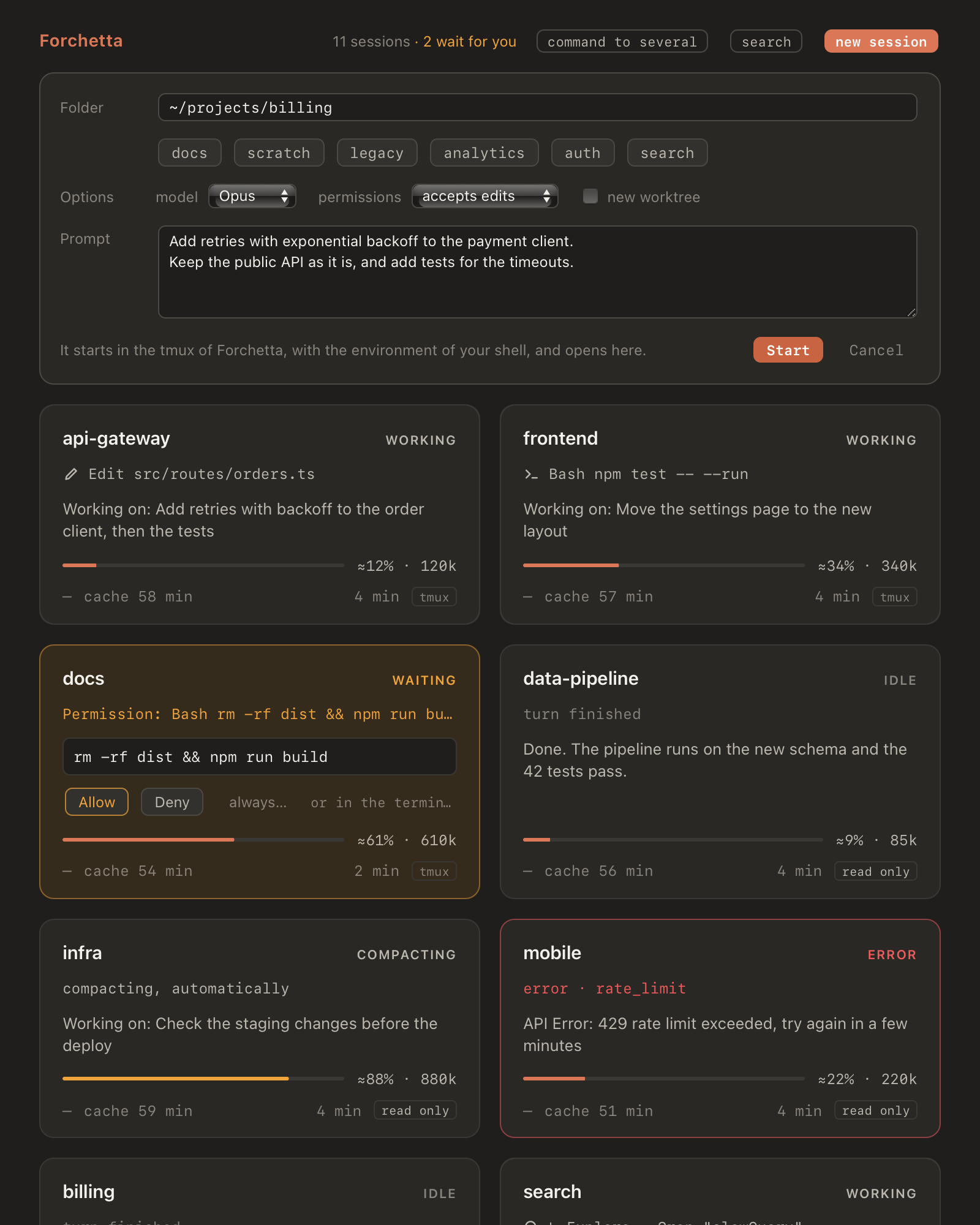
A replay of the app's grid, with made-up sessions. Amber means a session waits for you; the green check, that a turn just ended.

Read every session at a glance

Forchetta listens to the hooks of Claude Code, so it knows what each session does the moment it does it. Sessions you start anywhere show up by themselves: in the Terminal, in iTerm, in an editor.

  • What it is doing: the tool it is running and its file or command, or the question it is asking you.
  • What it was about: the last request, and the first sentences of its last reply.
  • How full it is: its context, and when its prompt cache expires, from arricurdAI if you use it.
  • What it costs: the cost of the session as Claude Code computes it for /cost, and the total of the day.

Four terminals, side by side

Click a box and its terminal opens next to the others, a real one you can type in. Sessions started with forchetta run claude, or from the app, live in Forchetta's own tmux: closing a pane, or the whole app, never ends them.
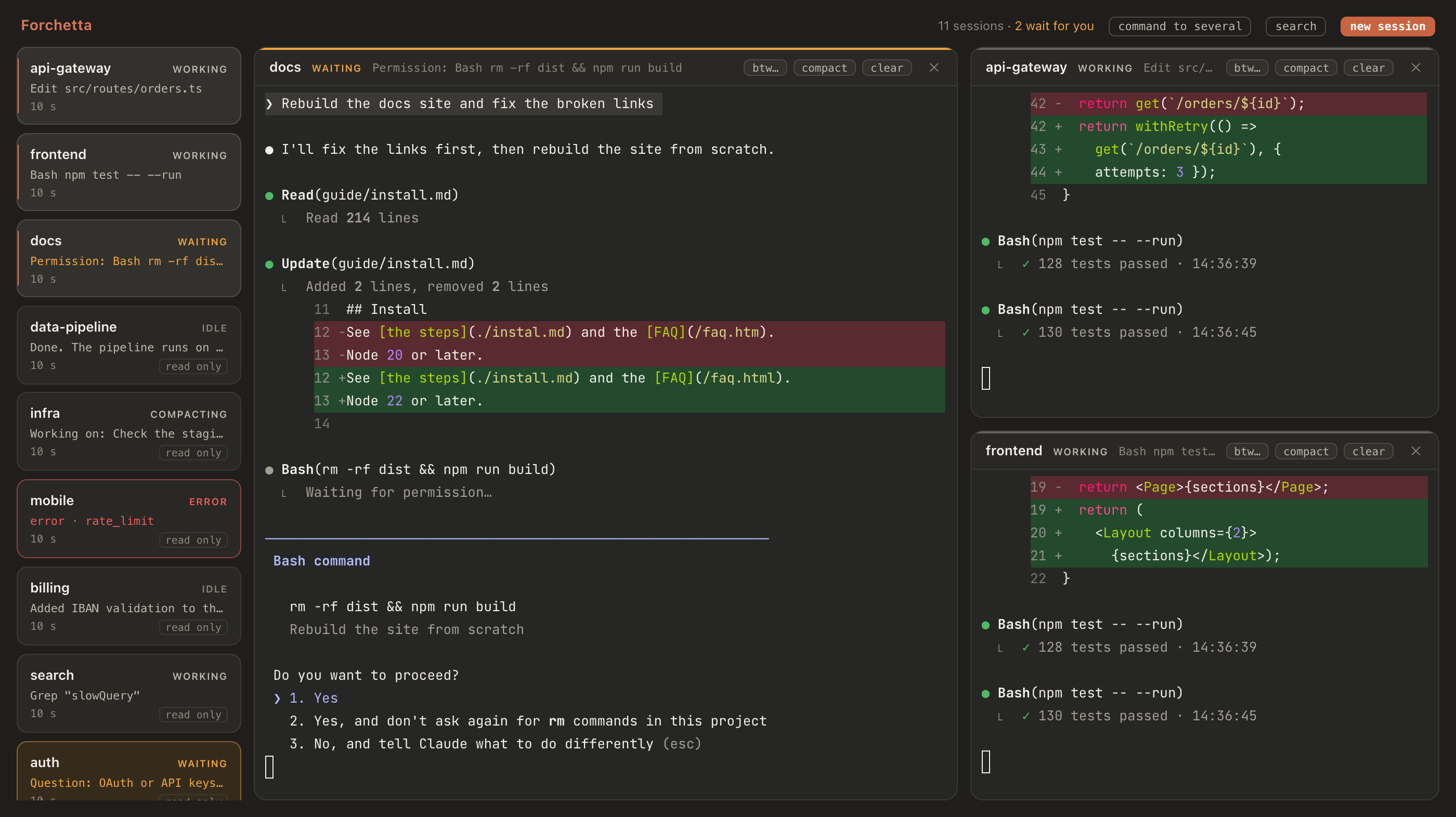
The Forchetta window: a column of sessions on the left, three terminals open side by side, one session waiting for a permission.
Three sessions open, the others in the column on the left. The one waiting for a permission can be answered from its box.

Act without switching windows

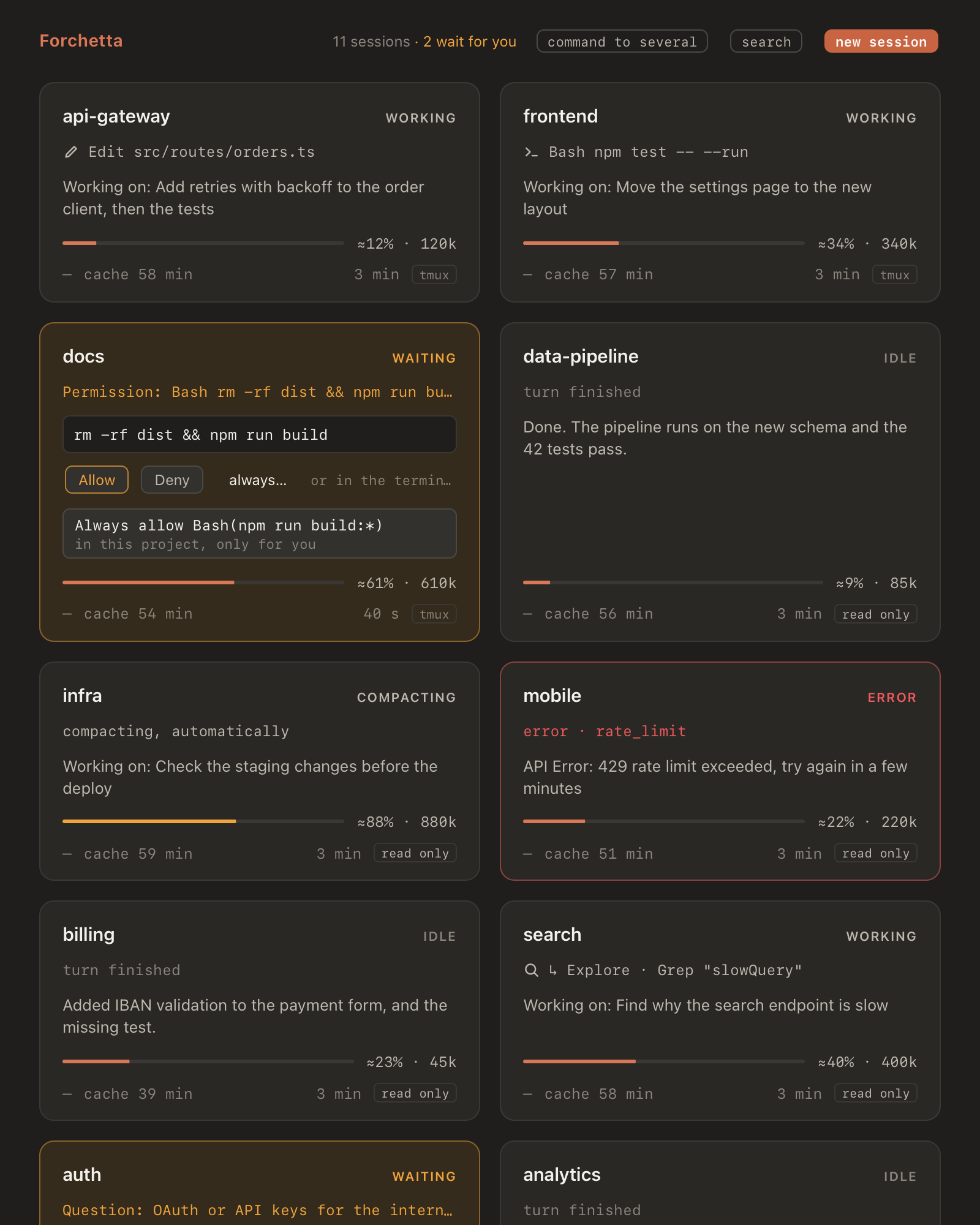
  • Answer permission prompts from the box: allow once, deny, or pick one of the lasting rules Claude Code offers. The terminal shows the same prompt, and whichever answers first wins.
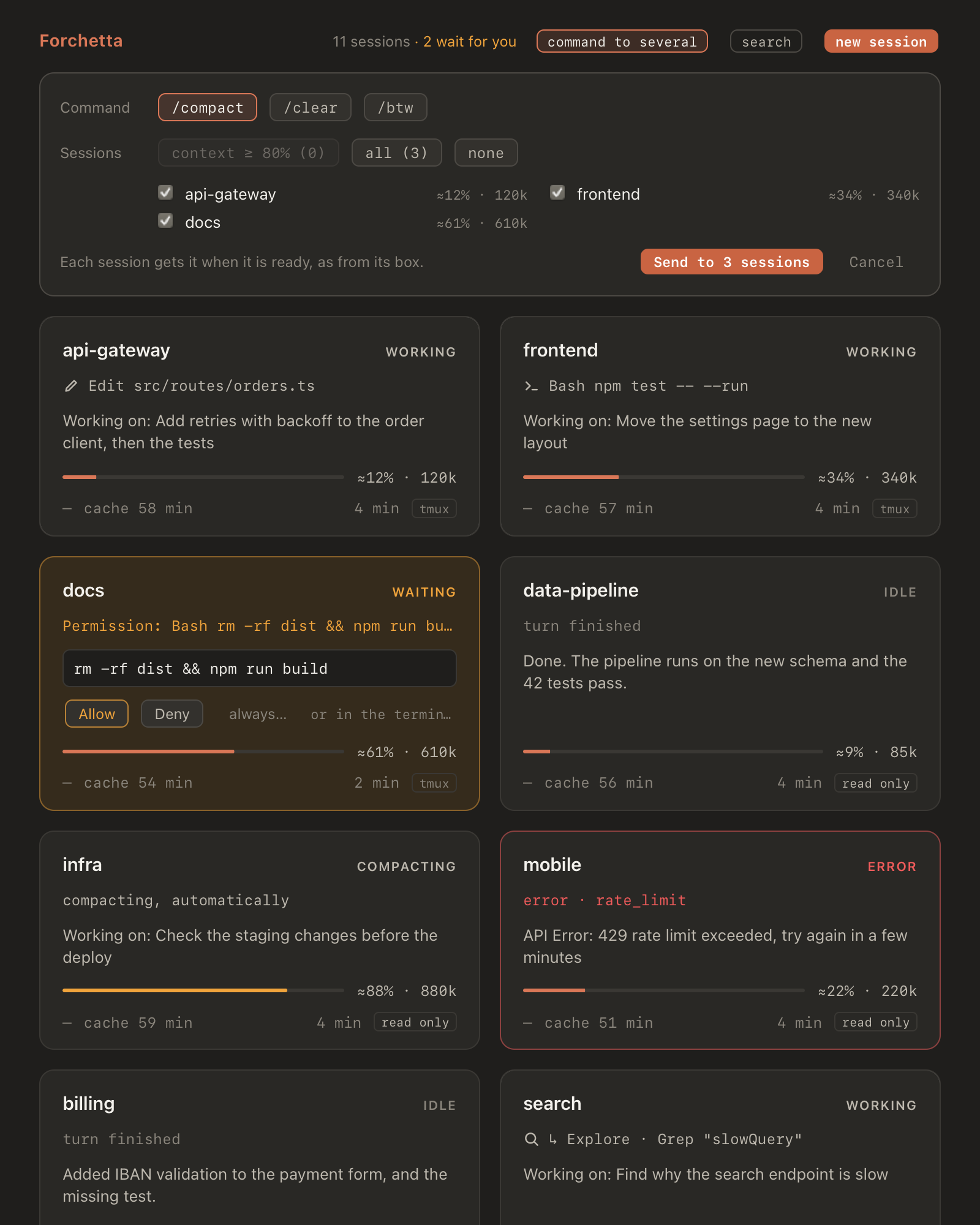
  • Send /btw, /compact and /clear to one session, or to several at once. Forchetta types a command only when it is safe: the session is idle, nobody is typing, the prompt is empty.
  • Start a new session in any folder, with a first prompt, a model, a permission mode, or a git worktree of its own.
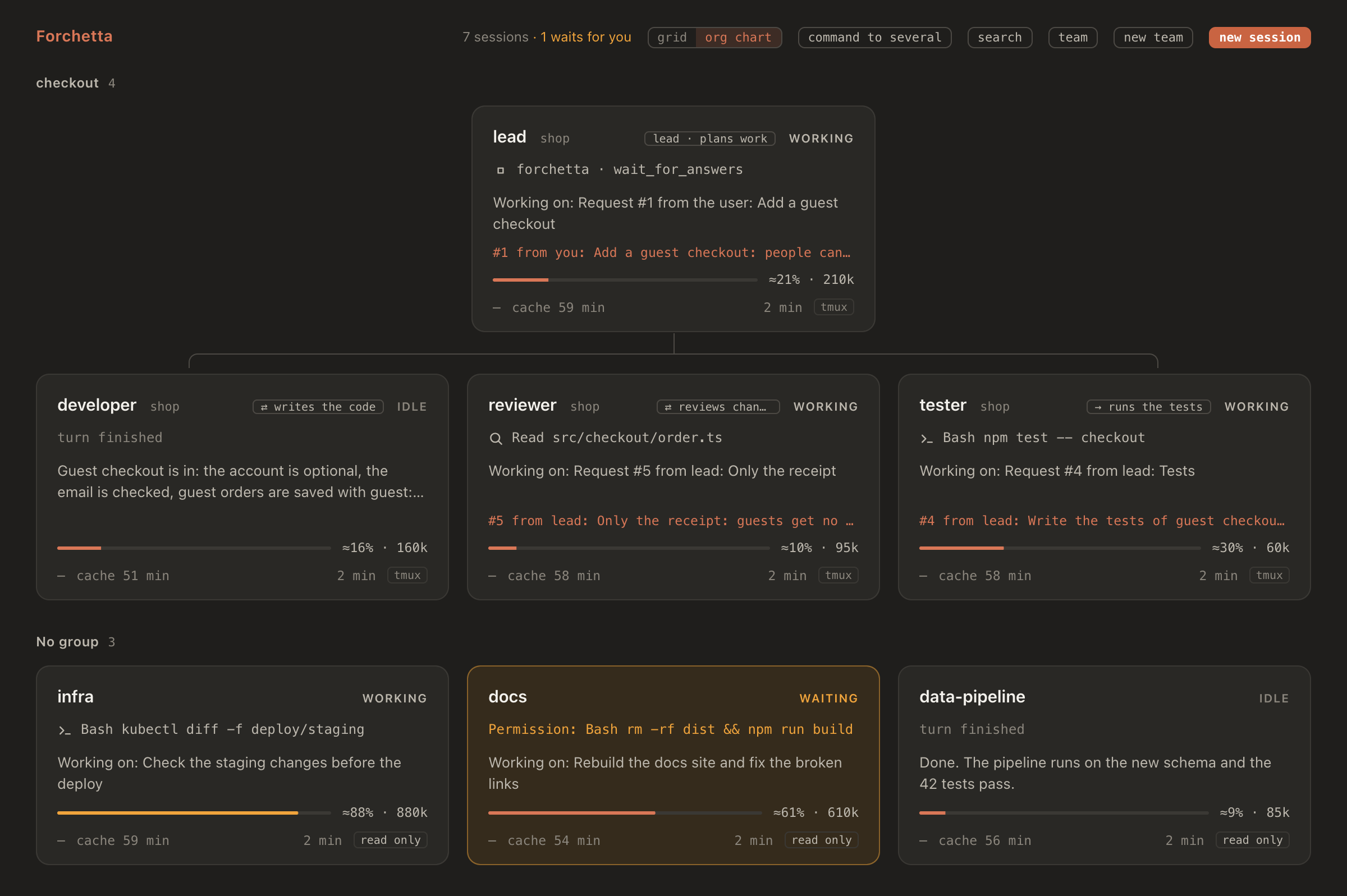
  • Name your sessions, group them and give them roles, and see them as an org chart.
  • Search earlier sessions of a project for what was asked, decided or changed.
A box waiting for a permission: the command in full, Allow, Deny, and a lasting rule to choose.
A permission, answered from its box.
The panel that sends /compact to three sessions at once, with their context.
One command to several sessions.
The panel of a new session: folder, model, permission mode and first prompt.
A new session, with its model and its mode.

Teams of agents that work together

Start a team from one panel: a lead, which is a Claude session or you, and up to six members, each a Claude Code session with its own role. The lead splits the goal into numbered requests, and each member gets its own as a new prompt as soon as it is free.
  • ⇄ answers or → executes: for each member, choose whether its final message goes back to the lead or it just does the work. Change it later with one click.
  • Real tools, not copy and paste: the lead sends requests and waits for the answers through a small MCP server of Forchetta; a member that is stuck asks the lead a question.
  • A worktree each: every member can work on a branch of its own, and the lead merges the work when it is good.
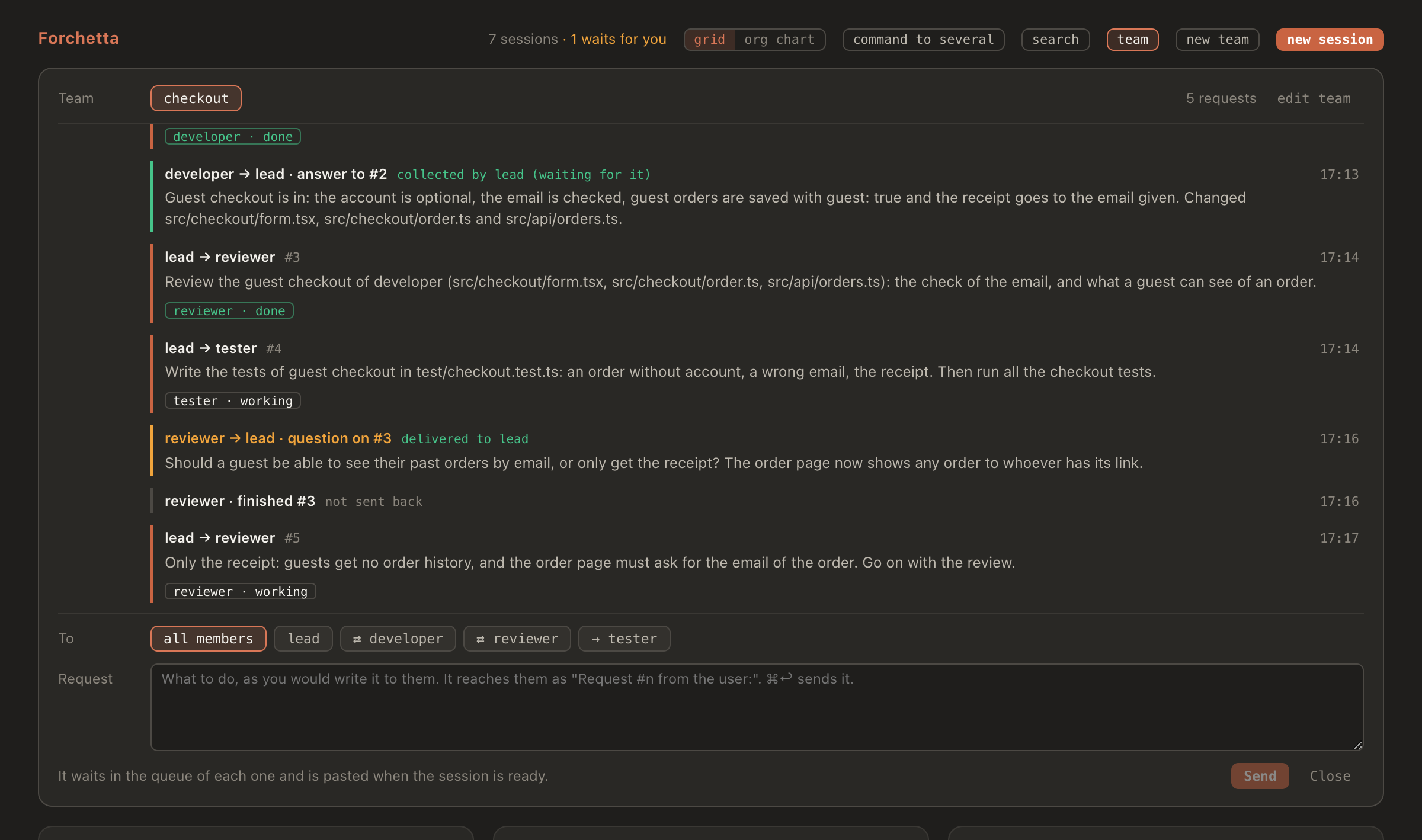
  • One thread for it all: every request, answer and question in order, and a field to write to the lead or to any member yourself.
  • Templates: start from developer + reviewer, a feature squad or research + writing, or from a team you saved.
A team at work, from the template to the answer for you. Recorded in the simulation of the repository: the sessions are scripted stand-ins for Claude Code, the app, the daemon and the queue are the real ones.
The org chart: the team checkout, its lead above and its three members below, each with the request it works on; three other sessions below.
The team checkout at work: the lead waits for the answers it needs, each member shows the request it is working on.
The panel of the team checkout: the thread of requests, answers and a question between the lead and its members, then the field to write a new request.
The thread of the team: what the lead asked, what came back, a question of the reviewer.

It tells you when you're needed

  • A notification and a badge on the Dock when a session waits for you, seems stuck, or stops on an error.
  • A warning when two sessions write to the same file, or to the same repository.
  • For each session, the files it changed: its own edits one by one, and the diff since the last commit.
  • An icon in the menu bar, and a shortcut from anywhere: ⌃⌥F.

It stays on your Mac

The hooks talk to a small daemon that listens on 127.0.0.1 only. Your sessions are not sent anywhere. The one network call Forchetta can make is an optional one-line summary from the Claude API, off unless you turn it on.

Before it changes ~/.claude/settings.json, Forchetta shows you every change, asks, and keeps a backup. Your other hooks stay exactly as they are, and forchetta hooks uninstall takes its own away.

The manual

Everything Forchetta does, step by step: the window and its states, the terminals, the commands and when they go, the permissions, new sessions, the teams of agents, the command line, the settings and what to do when something looks wrong.

Install

With Homebrew, on macOS 12 or later. No clone, no Xcode, no Apple account.

  1. Install Forchetta. Homebrew brings Node.js and tmux with it:

    brew install alessiodonato/tap/forchetta
  2. Build the app on your Mac and add its hooks to Claude Code. You see every change to your settings first:

    forchetta setup
    Built on your Mac, the app opens with no warning from macOS. Run it again after brew upgrade forchetta.
  3. Open the app. Sessions already running appear on their own.

    open ~/Applications/Forchetta.app
    To open a session's terminal from the app, start it with forchetta run claude, or with New session in the app.

Forchetta works with arricurdAI too: with it, every box shows its context and when its prompt cache expires, the top shows the cost of the day, you can search earlier sessions, and a /clear from the box leaves a note for the new session. The manual explains the rest; the README has it in English and in Italian, with how to build it from source.